



Most small businesses start thinking about holiday SEO on Black Friday. By then it’s too late. Google can take days or weeks to find and rank a page, so whatever your site looks like in mid-November is roughly what shoppers will see on Cyber Monday.
With under three weeks until Black Friday, focus on fixes Google can crawl and reflect quickly: holiday landing pages, schema, page speed, Google Business Profile hours, internal links and short FAQ answers. Leave site redesigns, platform migrations and big URL changes until January. A risky change this close to your busiest season can cost more than it earns.
Why holiday search is won before Black Friday
Google doesn’t see a new page the moment you publish it. It has to crawl the page, index it and decide where it ranks, which can take days to weeks for a small business site. A gift guide published on Black Friday morning is often still invisible on Cyber Monday.
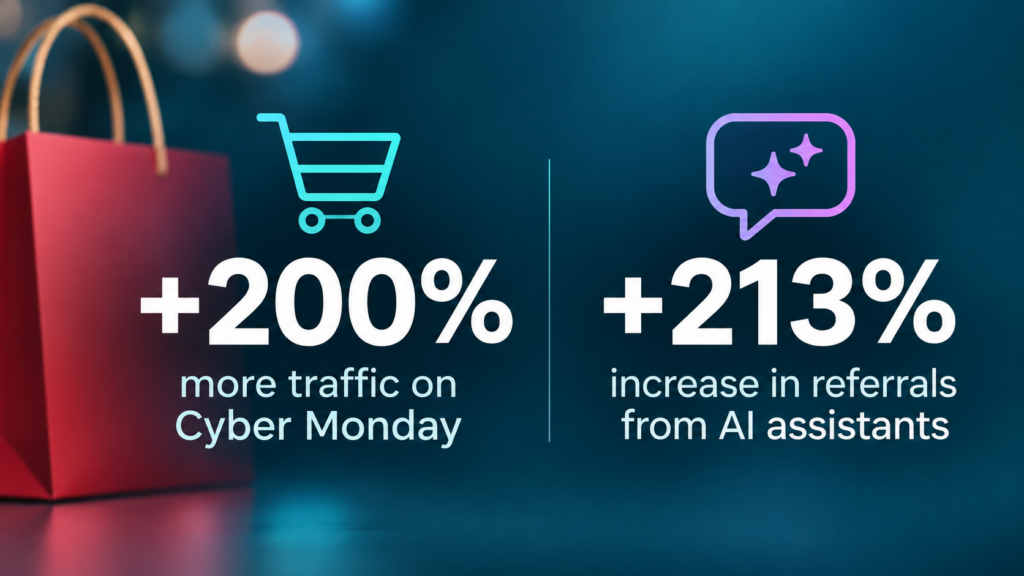
The demand is worth preparing for. In Semrush’s tracking of 19 major retailers, Cyber Monday 2025 brought in about 200% more traffic than an average early November day, and referrals from AI assistants jumped about 213%. Shoppers search early and compare often, and more of them now ask ChatGPT or Google’s AI Overviews for help.
The practical lesson: pages that already exist and have been live for weeks have the advantage. That’s why the first fix is about reusing a page, not creating a new one every year.
1. Reuse one permanent holiday URL
If you made a Black Friday page last year, update it instead of starting over. A URL like /black-friday/ that stays live year-round keeps the links and ranking history it has already earned. A new URL each year (/black-friday-2026/) starts from zero. If you don’t have one yet, create it today; it will still help this season and pay off more next year.
2. Refresh the page with this year’s offers
Put the dates, the deals and the deadlines near the top. Update the title tag and meta description to include “Black Friday 2026” or “holiday,” plus your location if you serve a local area. Add shipping cutoffs or booking deadlines, since those are exactly what people search for in December.
3. Add or check product and offer schema
If you sell online, product schema tells Google your price, availability and reviews, which can show up right in search results. Make sure sale prices in your schema match the price on the page; mismatches can get rich results dropped. On Shopify, most themes include basic product schema, but check it with Google’s Rich Results Test.
4. Mark up your business and services
Service businesses benefit too. LocalBusiness schema with your hours, address and service area, plus Service schema on your main service pages, helps Google and AI assistants describe you accurately.
5. Speed up your top 10 pages
Holiday shoppers are on their phones, and slow pages lose them. Run your homepage, holiday page and best-selling product or service pages through PageSpeed Insights. Compress large images, remove apps or plugins you no longer use, and cut heavy pop-ups. Don’t install anything new and untested this close to the holiday rush.
6. Set holiday hours in Google Business Profile
Add special hours for Thanksgiving, Black Friday, Christmas Eve, Christmas, New Year’s Eve and New Year’s Day. Google shows these in Maps and search, and wrong hours are one of the fastest ways to lose a customer and earn a bad review.
7. Post your offers to your profile
Use Google Business Profile’s offer and event posts for your holiday deals, gift cards and extended hours. Post weekly through December so your profile looks active when people compare options.
8. Link to holiday pages from your homepage and menus
Google gives more weight to pages your site links to prominently. Add a homepage banner or menu link to your holiday page, and link to it from your top blog posts and product categories. Remove or redirect last year’s expired promotion links.
9. Add a short FAQ to each holiday page
Nearly every holiday search now shows an AI Overview. Answer the questions shoppers actually ask (“When does the sale end?”, “What’s your last shipping date for Christmas?”, “Do you offer gift cards?”) in two or three plain sentences each, and add FAQ schema. Clear, direct answers are what AI Overviews and assistants like ChatGPT tend to quote.
10. Check that Google and AI crawlers can reach you
Open Search Console and look for crawl errors and pages excluded from the index. Check your robots.txt and any security or CDN settings for rules that block search engines or AI assistants. Then use URL Inspection to request indexing for your updated holiday pages.
The local angle: winning “near me” holiday searches in Michigan
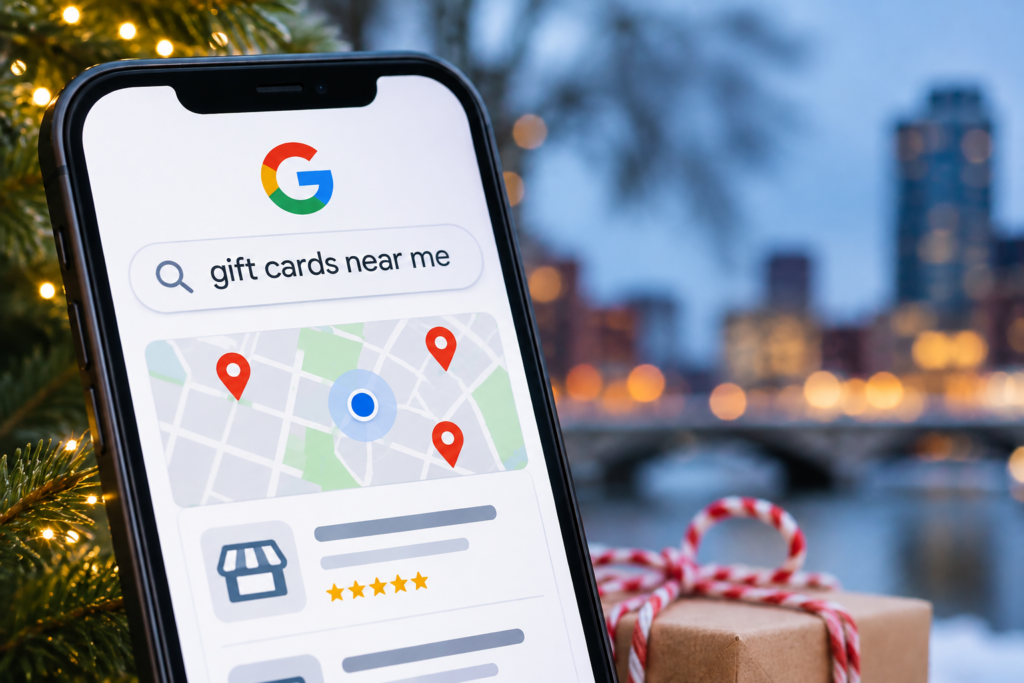
For local businesses, the holidays are a “near me” season: gift shops, restaurants, salons, bakeries and service providers all see searches like “gift cards near me” or “open on Christmas Eve near me.” Google answers those mostly from Business Profiles and local pages, which is why fixes 6 and 7 matter so much.
A few Michigan-specific moves help. Mention the neighborhoods and towns you serve on your holiday page (Eastown, East Grand Rapids, Rockford, Holland). Tie offers to local events like Small Business Saturday or downtown holiday markets, since those get local press and links. And if winter weather can change your hours, update your profile the same day; a closed sign that Google doesn’t know about costs you trust.
Other questions you may have
Is it too late to do holiday SEO in November?
No, but the window is closing. Updates to existing pages, Google Business Profile changes and schema fixes can still show up before Black Friday. Brand new pages have less time to get indexed and ranked.
Should I create a new Black Friday page every year?
No. Keep one permanent URL and update it each season. It holds onto the links and ranking history it has earned.
What should I avoid changing before the holidays?
Avoid redesigns, platform migrations, URL changes and installing untested apps or plugins. Save them for January, when a problem costs less.
Does holiday SEO matter for AI search?
Yes. Most holiday searches now show an AI Overview, and AI assistant referrals rose sharply around Cyber Monday last year. Short, clear FAQ answers and accurate business details help you get cited.